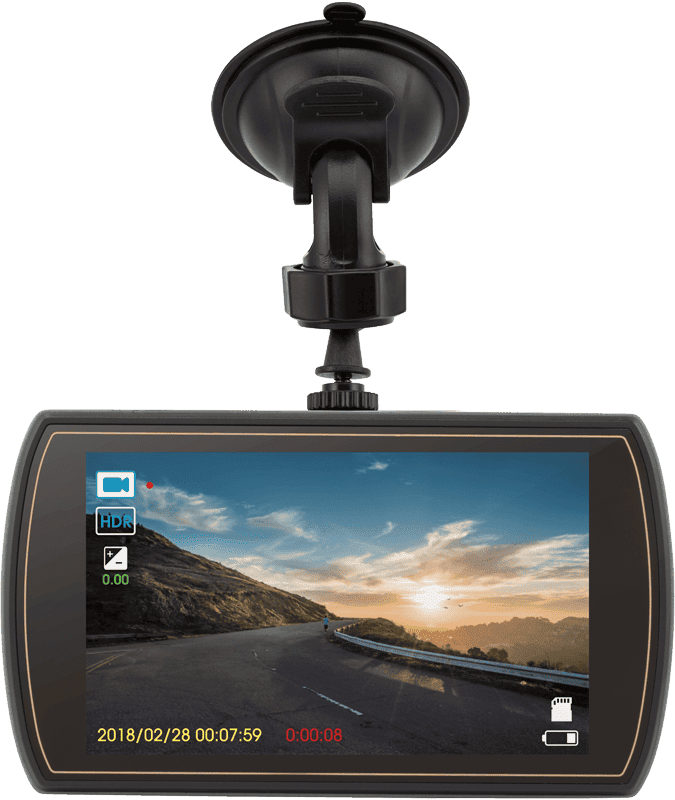
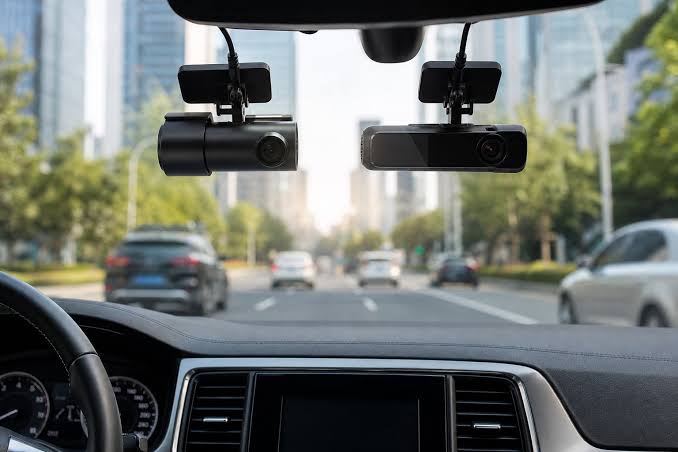
No one is immune to a road traffic accident. For this reason, many vehicle owners use dashcams that record what happens on the road in front of the vehicle. Some models can also record the area behind the vehicle or provide video coverage from several directions.
Dashcams are generally reliable devices and may include various additional features, such as:
- GPS track recording;
- displaying the vehicle's current speed;
- impact sensor — automatically starts recording when an impact occurs;
- motion detection;
- loop recording;
- other additional functions.
However, the primary function of a dashcam is to record video footage to a memory card or internal storage.
Dashcam Footage as Evidence in an Accident
When a road traffic accident occurs, footage recorded by a dashcam can be extremely important when determining what happened. It may help establish which party was responsible or demonstrate that a driver was not at fault.
However, there are situations where the required footage is accidentally or intentionally deleted, damaged, or becomes inaccessible.
This can happen for several reasons:
- the owner accidentally deletes the required recording;
- the dashcam continues recording after the accident;
- new footage overwrites the previous recording;
- the device suddenly shuts down and does not properly finalize the video file;
- the recording is stored on the card but does not appear in the dashcam's menu;
- the video file exists but cannot be played;
- the memory card has been formatted;
- the memory card has suffered physical damage;
- the dashcam itself has been damaged in the accident.
In many cases, the footage may still be recoverable.
What If the Dashcam Did Not Save the Accident?
Sometimes a vehicle owner reports that the dashcam was working at the time of the accident, but the actual moment of impact is not visible on the memory card.
This does not necessarily mean that the recording has been completely lost.
In some cases, the required data may still exist in the RAW video stream or in sectors of the memory that are not accessible through the normal file system.
A specialist can analyze the contents of the storage device and search for video data that cannot be opened or displayed using standard software.
Even if the dashcam stopped working immediately after the collision, it may have successfully recorded the final seconds before the accident.
What If the Video File Cannot Be Opened?
After an accident, you may find a video file on the memory card with a timestamp corresponding to the accident, but the file cannot be played.
One possible reason is damage to the file structure or its header.
In some cases, the file can be repaired.
If the file structure cannot be completely restored, specialists can additionally analyze the RAW data directly from the storage medium and search for fragments of the video stream corresponding to the required period.
Therefore, the absence of a playable video file in the dashcam menu does not always mean that the actual video data no longer exists on the memory card.
What If the Video Was Deleted?
Deleted dashcam footage can sometimes be recovered.
However, an important feature of most dashcams must be taken into account — Loop Recording.
When the memory card becomes full, the dashcam automatically begins using the space occupied by older recordings. New video files can therefore overwrite older footage.
If you continue using the dashcam after an accident, new recordings may overwrite the required video.
Once the original data has been overwritten, recovery can become extremely difficult or impossible.
The most important rule:
If an important recording has disappeared, stop using the memory card.
Do not record new videos onto it and do not put it back into the dashcam.
What If the Memory Card Is Physically Damaged?
Physical damage to an SD or microSD card does not always mean that the data has been permanently lost.
For example, the following components may be damaged:
- contacts;
- the card's housing;
- the controller;
- electronic components;
- connections between components.
At the same time, the NAND Flash memory, where the actual data is stored, may remain intact.
Depending on the type and extent of the damage, component-level work or NAND/Chip-Off data recovery may be required.
However, if the memory chip itself has been physically destroyed — for example, if the chip has been broken in half and the memory crystal has been damaged — recovery may no longer be possible.
What If the Dashcam Itself Is Damaged?
Sometimes the memory card is not the problem. The dashcam itself may fail as a result of the accident.
The device may:
- fail to turn on;
- continuously reboot;
- fail to detect the memory card;
- freeze;
- stop saving video.
In such cases, the problem may be related to the device's electronic circuitry.
If the internal memory or memory card remains physically intact, it may be possible to diagnose the electronics, restore the necessary functionality, or access the memory using specialized methods.
The primary objective of data recovery is not necessarily to fully repair the dashcam, but to obtain access to the information stored on it.
What Should You Do Immediately After an Accident?
If your dashcam recorded an accident and then suddenly stopped working:
1. Remove the memory card.
2. Do not continue recording onto it.
3. Do not format the card.
4. Do not randomly run recovery or repair software on the card.
5. Keep the card in a safe place.
If you need to continue recording, install a different memory card.
For drivers who rely heavily on dashcam footage, keeping a spare SD/microSD card in the vehicle can therefore be useful.
Why Should You Stop Using the Card?
Consider the following situation:
You have an accident at 3:00 PM.
The dashcam continues recording for several hours.
It uses loop recording to create new files.
Eventually, the new recordings begin overwriting the oldest footage.
As a result, the video of the accident may be partially or completely overwritten.
Therefore, the less new data written after the loss of the recording, the better the chances of successful recovery.
Can Data Be Recovered from a Formatted Card?
In some cases, yes.
However, the result depends on several factors:
- what type of formatting was performed;
- which file system was used;
- whether recording continued after formatting;
- whether new data was written over the previous data;
- whether the memory itself is functioning correctly;
- how the particular dashcam organizes and stores video data.
For this reason, after accidentally formatting a memory card, do not continue using it.
Physical Destruction of the Memory Chip
Modern dashcams may store information not only on removable SD cards but also on internal Flash memory.
If the device has been physically damaged or destroyed, this does not automatically mean that the data has been lost.
Depending on the design of the dashcam and the type of memory used, specialized analysis of the memory chip may be required.
Damage to contacts or individual areas of the circuit board may sometimes be repairable.
However, if the actual memory crystal has been physically destroyed, the possibilities for recovery become extremely limited.
What Do We Recommend to Vehicle Owners?
If your dashcam recorded an important event:
Do not continue using the memory card.
If the recording has disappeared, the file cannot be opened, or the card is showing an error, do not format it or allow automatic repair, especially if the data is important.
The original condition of the storage device should be preserved as much as possible.
The fewer changes made to the memory card after data loss, the more recovery options remain available.
DataRecovery.az
DataRecovery.az provides professional diagnostics and data recovery services for SD/microSD cards, dashcams, Flash storage and other data storage devices.
Depending on the situation, recovery may involve deleted-file recovery, analysis of damaged video recordings, RAW data analysis, or recovery from physically damaged Flash media.
If important accident footage has disappeared from your dashcam, do not use the memory card again. Preserve it in its current condition and have it professionally diagnosed.